
Oops! Something went wrong while submitting the form.

Release notes
Release notes
April 14, 2025
April Product Update
AI
April is here, and we have over a dozen new product enhancements and features to share! Lumana received significant upgrades to its AI capabilities, platform usability, and hardware lineup. This month, we’ve released powerful space occupancy analytics, violence detection, a real-time partner monitoring portal, and so much more.
Optimization
Partner Monitoring Portal — A new diagnostics portal provides Lumana partners with real-time insights into camera, core, and analytics performance across their customer accounts. Partners can proactively monitor system health and optimize deployments with data-driven insights.
Bulk License Plate Upload — Users can now upload a CSV file with multiple vehicle entries to streamline security alert creation or exclusions.
Mobile App Enhancements — New functionality allows users to lock/unlock doors remotely and view detailed security insights directly in the camera feed, including faces, vehicles, and license plates.
Add New or Existing Faces from Camera View — When new faces are captured on a camera, users can create a new face record or add to an existing profile with a click of a button.
AI
Space Occupancy Analytics — Lumana now provides real-time and historical occupancy tracking, delivering insights into space utilization and helping businesses prevent overcrowding, optimize layouts, and improve staffing decisions.
Violence Detection — Lumana can now detect acts of violence, such as people fighting, to improve safety and incident response.
Door Tailgating Detection — Leveraging our access control integrations with Kisi and Genea, Lumana can now detect tailgating activity.
VMS+
Space Occupancy Dashboards — Users can configure occupancy tracking dashboards, set virtual count lines, and analyze movement patterns in real-time or over time. Data can be exported for audits, compliance, and strategic planning.
PTZ Controls on Web and Mobile App — When viewing a PTZ camera, users can control the camera view to focus on objects of interest.
Custom Reports — Users can build one-time or recurring reports for specific cameras based on alerts, attendance, and license plates and view data in a CSV file.
Sensor Integrations — Organizations can now add third-party sensors to the Lumana platform to connect real-time environmental readings to specific cameras.
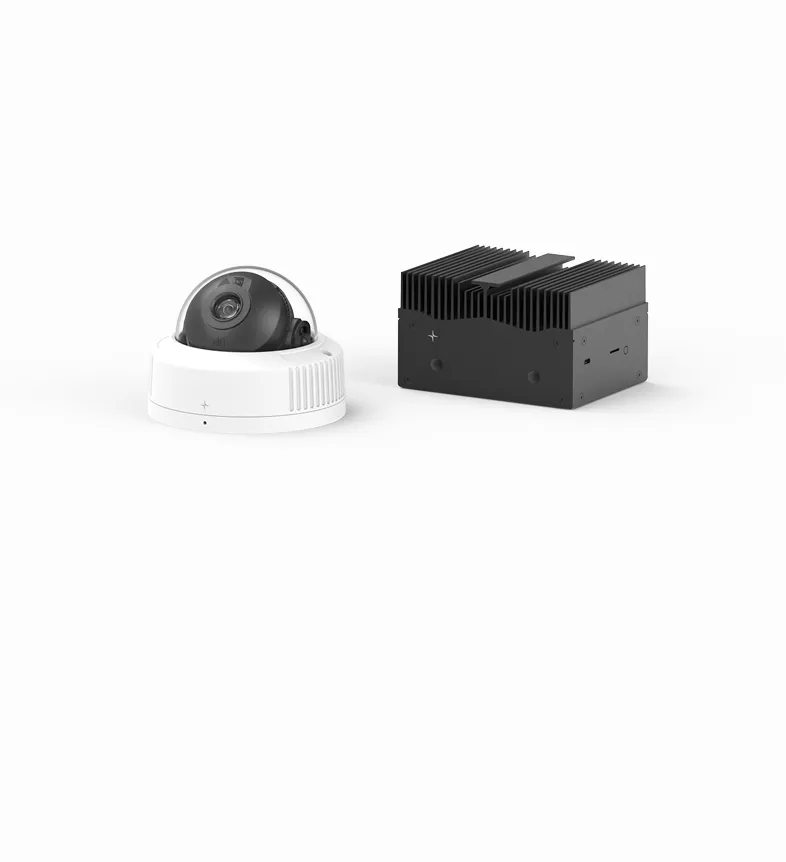
Cameras
PTZ Camera — Provides dynamic pan-tilt-zoom control for active surveillance.
Fisheye Camera — Offers 360° wide-area coverage, ideal for large spaces.
Zoom Turret Camera — Delivers enhanced zoom capabilities for detailed monitoring of critical areas.
View more
View less
Release notes
Release notes
February 25, 2025
February Product Update
VMS+
We have a two-for-one (January + February) product update to kick off 2025! This month, we released powerful new features to enhance your security operations. In this update, we improved the user experience with intuitive camera navigation and playback controls, launched new access control integrations, and added new AI capabilities for workplace safety.
Optimization
Enhanced Dashboard Flexibility — Users can now view event clips and counts within dashboards and dynamically update the data based on specific cameras, locations, and objects.
Back from Offline Alerts — In organization settings, customize alert behavior and timing when systems restore from offline mode.
AI
New PPE Detection - Safety Vest — Building on our safety helmet detection, Lumana now detects safety vests, allowing users to create alerts or investigate PPE compliance.
Direct Camera Search — Users can filter camera footage directly on the camera page for people, faces, vehicles, and license plates.
Cameras
Camera Shortcuts — Users can quickly navigate to nearby cameras directly from the live view page, making it intuitive to follow subjects or get different viewpoints with a single click.
Playback Speed Control — Added flexible playback speed adjustment on camera live view pages for more precise scene analysis.
VMS+
Alert Group Scheduling — Users can create alert groups with customizable arm/disarm schedules, streamlining alert management based on organizational needs.
Time Schedules — Administrators can now add alert time schedules to the organization database for easy assignment and tracking.
Kisi & Genea Integration — New out-of-the-box integrations bring AI video security to access control, enabling automatic event indexing for access events, accelerated investigations, and real-time tailgating detection.
View more
View less
Release notes
Release notes
December 17, 2024
December Product Update
Optimization
Last update of 2024, and we’re closing the year out strong! This month, we optimized Lumana to perform more efficiently than ever and added new capabilities with external speakers and NAS devices. Additionally, we released a new Walls interface to streamline security operations and added new AI features, further positioning Lumana as a leader in AI video security.
Optimization
No Live View Buffering via LAN — When users access Lumana locally, camera feeds load in less than a second, providing a smoother viewing experience.
Optimized Remote Playback and Live View — When users access Lumana remotely, camera feeds load in less than two seconds, providing a better viewing experience while on the go.
Direct, High-resolution Camera Streams — When viewing cameras locally, users receive the full-camera, native resolution with no upload bandwidth consumption.
Enhanced Wall Streaming — Lumana can now stream up to 30 feeds on a single page by automatically optimizing and adjusting tile resolution.
VMS+
New Walls Interface — Users can create walls via drag-and-drop, add YouTube videos, rotate walls based on specified intervals, and view walls in full-screen mode.
Smarter Alert Wall Experience — Users can monitor alerts and live camera feeds from a single page to help streamline security operations.
Customizable Alert Tile Sounds — Administrators can select custom sounds when alerts trigger on a Wall.
Two-Way Push-to-Talk Support — Connect a speaker to Lumana and communicate with subjects within a scene with the press of a button (additional license required).
AI
Face Search Improvements — When searching for specific faces, a new adaptive algorithm refines search results by dynamically building profiles and analyzing face vectors in real time, improving search accuracy by over 50%.
Container Detection — Lumana can now detect, alert, and search for shipping containers and attributes, including serial number, size code, and owner code.
Missing object alerts — Users can monitor specific objects and trigger real-time alerts when objects immediately go missing.
Core
External NAS storage — In addition to storing footage locally on Core devices and in the cloud, organizations now have the option to store footage on external NAS devices for added redundancy (additional license required).
View more
View less
Release notes
Release notes
November 25, 2024
November Product Update
VMS+
AI video security should expand beyond just physical security and solve unique use cases by leveraging the power of computer vision intelligence. This month, we prioritized quality over quantity. We made thoughtful updates to the platform and released a new alert type using Event Tags, allowing Lumana to trigger alerts based on third-party system data.
VMS+
Map view — Users can now position and access external camera feeds from a Google map view for added viewing flexibility.
Event Tag alerts — Organizations can now create alerts based on activity from third-party systems.
Optimizations
Browser compatibility — Lumana is no longer Chrome-exclusive. We’ve extended support to Edge web browsers, ensuring a seamless experience across platforms.
View more
View less
Release notes
Release notes
October 30, 2024
October Product Update
Optimization
We’re excited to announce that Lumana is now HIPAA compliant! Alongside this milestone, we’ve introduced key product optimizations to enhance your video security experience.
Optimization
HIPAA certification — Lumana is now HIPAA compliant, ensuring healthcare customers can protect patient data and privacy with confidence.
Enhanced live view experience — Unlimited users can now access camera streams simultaneously without impacting bandwidth or stream quality.
VMS+
Floor plans — Users can now upload building floor plans and position cameras for seamless navigation between views.
Lumana Camera Finder — Lumana now features a camera finder tool, enabling bulk configuration of Lumana-branded cameras.
AI
Real-time alerts for occupancy duration — Create alerts based on object count and duration within a scene.
View more
View less
Release notes
Release notes
September 26, 2024
September Product Update
Optimization
This month, Lumana saw extensive updates — from new object identifications to integrations and mobile updates.
Artificial Intelligence
Identify new objects — Users can now search, create alerts, and build dashboards based on shopping carts, animals, and new vehicle classifications (boats, motorcycles, and bicycles).
Optimizations
Add people of interest to the organization database — System administrators can now find people of interest and easily add their faces to the organization database for search and alert capabilities.
Daily or weekly dashboard comparisons — Users can now monitor trends and see daily or weekly comparisons of their data and event activity.
Wall filtering — Users can filter walls by location or camera for faster wall retrieval.
Zoom on Walls — Users can now zoom directly on individual wall tiles for more detailed monitoring.
VMS+
Slack integration — Users can now integrate Slack with Lumana to receive alerts and notifications directly on specified Slack channels.
Webhooks integration — Users can now integrate Lumana with other products, such as external speakers.
Mobile
Create walls — Users can now create video walls directly from the mobile app.
Alert sharing — When alerts trigger, users can now view and share alert footage for faster incident response.
Search for cameras — Users can now quickly find cameras to view by inputting camera name.
Wall playback — When interesting events happen, users can now tap on a specific camera feed and view playback from the last 5 minutes.
View more
View less
2 / 3
Have a question?
Fill out the form below for additional support.
Thank you, you are in!
Oops! Something went wrong while submitting the form.
Submissions will be used in accordance with our Privacy Policy.